

 Send Inquiry



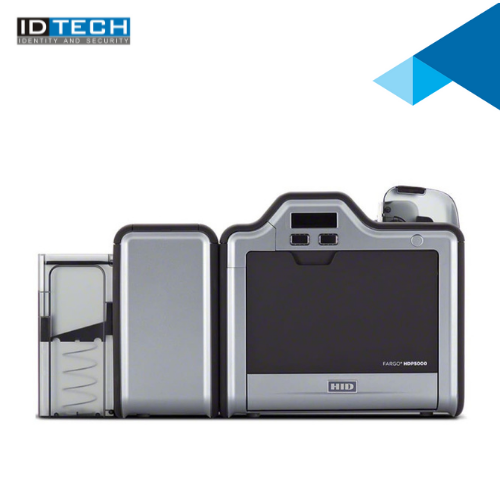
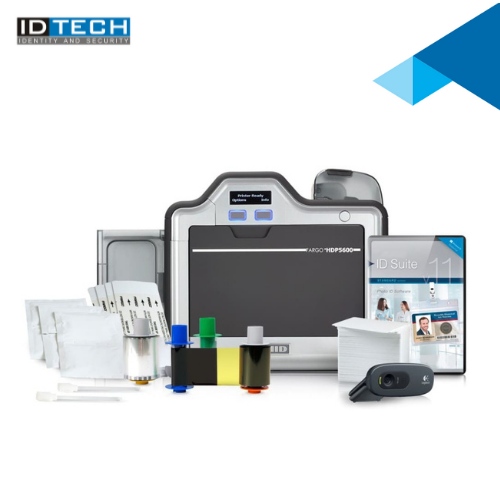

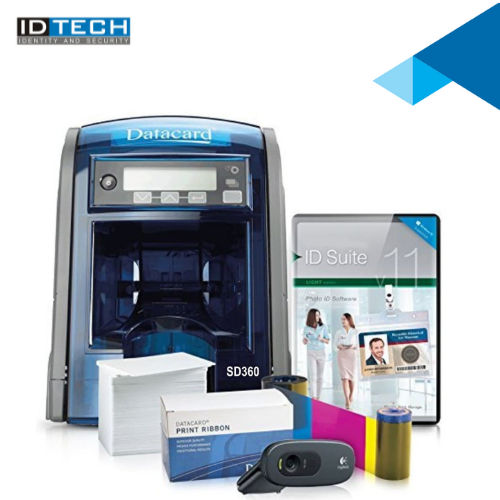
Datacard ID Card Printer SD360
225000 INR/Piece
Product Details:
- Working Temperature 60F - 95F (15C - 35C)
- Weight 5.4 kg
- Power Supply External Power Adapter
- Cabinet Material High Impact Plastic
- Usage & Applications Employee IDs, Visitor Badges, Student IDs, Membership Cards
- Humidity % 20% - 80% RH (non-condensing)
- Print Speed Up to 200 cards/hour (YMCKT, dual-sided)
- Click to View more
X
Datacard ID Card Printer SD360 Price And Quantity
- 225000 INR/Piece
- 1 Number
- 0.25 mm to 1.016 mm
- YMCKT, YMCKT-K, KT, Black Monochrome, Full Color
- Kensington security lock compatible
- Magnetic Stripe, Smart Card, Contactless Card, Bar Code Printing
- Compatible with Windows 7, 8, 10, Windows Server 2008/2012
- PVC, PVC Composite, PET, ABS and other plastic cards
- Single-sided and dual-sided printing
- 16-character LCD display with status prompts
Datacard ID Card Printer SD360 Product Specifications
- ID Card Printing
- CR-80 (86 x 54 mm)
- 60F - 95F (15C - 35C)
- 5.4 kg
- 20% - 80% RH (non-condensing)
- High Impact Plastic
- Employee IDs, Visitor Badges, Student IDs, Membership Cards
- External Power Adapter
- 300 dpi
- Max 60W
- Plastic and Metal
- Direct-to-Card Dye-Sublimation / Resin Thermal Transfer
- New
- Up to 200 cards/hour (YMCKT, single-sided)
- Up to 200 cards/hour (YMCKT, dual-sided)
- Automatic
- Dual-sided Card Printing
- 32-bit Embedded Processor
- Automatic dual-sided printing, edge-to-edge printing, USB & Network connectivity, easy-to-use LCD display
- Less than 60 dB
- Input Hopper: 100 cards ; Output Hopper: 100 cards
- 100-240V AC, 50/60 Hz
- USB 2.0, Ethernet
- 390 x 180 x 223 mm
- Up to 850 cards/hour (monochrome, single-sided)
- 0.25 mm to 1.016 mm
- YMCKT, YMCKT-K, KT, Black Monochrome, Full Color
- Kensington security lock compatible
- Magnetic Stripe, Smart Card, Contactless Card, Bar Code Printing
- Compatible with Windows 7, 8, 10, Windows Server 2008/2012
- PVC, PVC Composite, PET, ABS and other plastic cards
- Single-sided and dual-sided printing
- 16-character LCD display with status prompts
Datacard ID Card Printer SD360 Trade Information
- Cheque
- 2 Week
- Western Europe, Asia, Australia, North America, South America, Eastern Europe, Middle East, Africa, Central America
- All India
Product Description
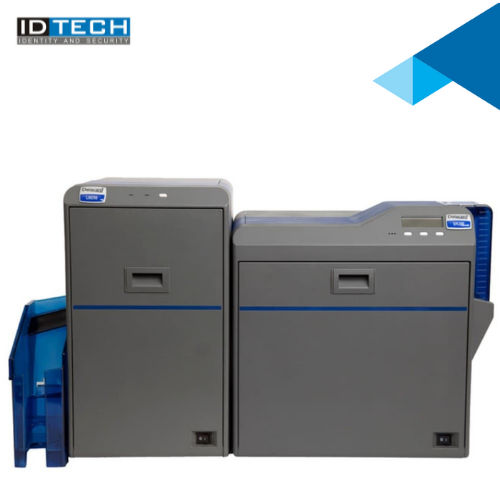
For Superb full-color, over-the-edge print capabilities, Datacard SR200 & SR300 retransfer card printers are a gateway to greater cardholder satisfaction and ultimate card program flexibility. These printers empower government agencies, corporations, universities, and other organizations to reliably issue highly secure, personalized, durable and vibrant cards. Offering superb full-color, over-the-edge, single- or dual-sided printing on a variety of blank or preprinted card surfaces, they also encode various card types including contact/contactless smart cards and magnetic stripe cards.Smart and Versatile Card Printing
The SD360 printer combines advanced encoding technologies, including magnetic stripe and contactless options, to handle various security or data requirements. Its 32-bit embedded processor ensures fast processing, while the automatic dual-sided feature delivers professional, edge-to-edge results. Ease of use is guaranteed through a user-friendly LCD display, making routine operations straightforward for any user.
Durable and Secure Design
Constructed from high-impact plastic and metal, the SD360 is robust yet compact at 5.4 kg. The Kensington security lock compatibility enhances physical security, ensuring the printer can be safely operated in busy environments. With an input and output hopper capacity of 100 cards each, batch printing is efficient and reliable.
Broad Application and Compatibility
Whether for employee IDs, access cards, or student identification, the SD360 supports a wide array of card types and is compatible with commonly used Windows systems. With network and USB connectivity options, it integrates easily into diverse office and institutional environments, streamlining card issuance processes for businesses, schools, and organizations across India.
FAQ's of Datacard ID Card Printer SD360:
Q: How does the dual-sided printing feature benefit card issuance processes?
A: The automatic dual-sided printing capability of the SD360 streamlines production by allowing both sides of a card to be printed in one pass. This saves valuable time, reduces manual intervention, and helps maintain consistent card quality, making it ideal for high-volume environments.Q: What kinds of cards and thicknesses can the SD360 print on?
A: The SD360 supports a range of card types, including PVC, PVC composite, PET, ABS, and other plastic cards, with thicknesses from 0.25 mm up to 1.016 mm. This versatility accommodates various identification and access card requirements.Q: When should I use magnetic stripe or smart card encoding with this printer?
A: Magnetic stripe encoding is best suited for access control systems or membership cards needing swipe functionality. Smart card and contactless encoding are recommended when enhanced security or data storage is required, such as for secured facility entry or multi-function access cards.Q: Where can the Datacard SD360 be installed and operated safely?
A: The SD360 is designed for office, school, and institutional environments. With a recommended operating temperature of 15C to 35C and a noise level below 60 dB, it fits well in workspaces where minimal disruption is essential. The Kensington lock compatibility adds a security layer, particularly valuable in shared or high-traffic areas.Q: How do I maintain and manage ribbon cartridges for optimal print quality?
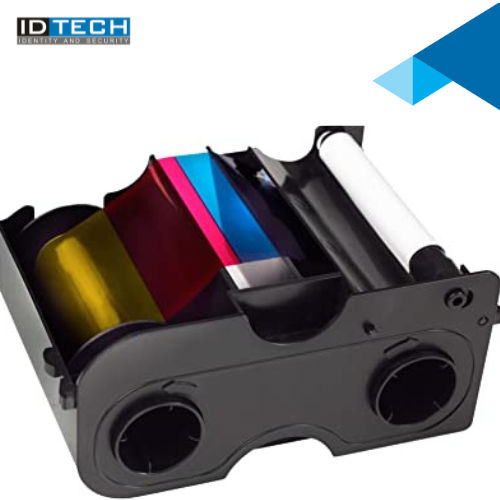
A: The printer is compatible with YMCKT, YMCKT-K, KT, and monochrome ribbons. To ensure consistent print quality, use only recommended ribbons, and regularly clean the printer following the manufacturer's guidelines. Proper ribbon management prevents misfeeds and extends printer life.Q: What are the main steps involved in printing high-quality ID cards with this device?
A: Begin by loading blank cards into the input hopper, selecting the appropriate ribbon, and powering on the printer. Use compatible software on Windows 7/8/10 or Windows Server to design the cards, send the print job, and monitor status via the LCD display. Collect printed cards from the output hopper when ready.Tell us about your requirement

Price:
Quantity
Select Unit
- 50
- 100
- 200
- 250
- 500
- 1000+
Additional detail
Mobile number
Email

Other Products in 'Card Printers' category

"We are accepting bulk order quantity only."
 Send Inquiry
 Send SMS
 Call Me Free
ID TECH SOLUTIONS PVT LTD
GST : 06AACCI5313D1Z4
GST : 06AACCI5313D1Z4

- Plot No. 610, Udyog Vihar, Phase V, Gurugram - 122016, Haryana, India
- Phone : 08045813073

- Mr Saurav Khemani (Managing Director)
- Mobile : 08045813073
- info@idsolutionsindia.com

|


ID TECH SOLUTIONS PVT. LTD.
All Rights Reserved.(Terms of Use)
Developed and Managed by Infocom Network Private Limited.
Developed and Managed by Infocom Network Private Limited.

