

 Send Inquiry



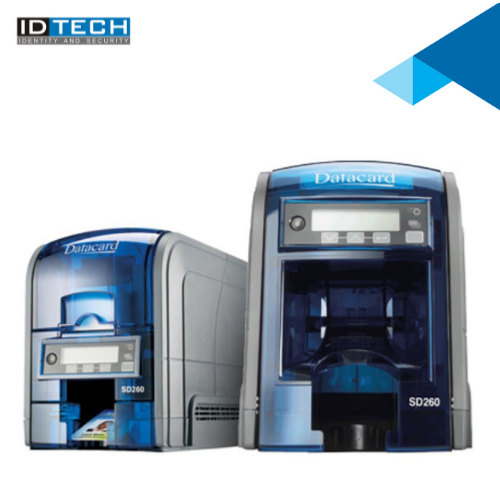
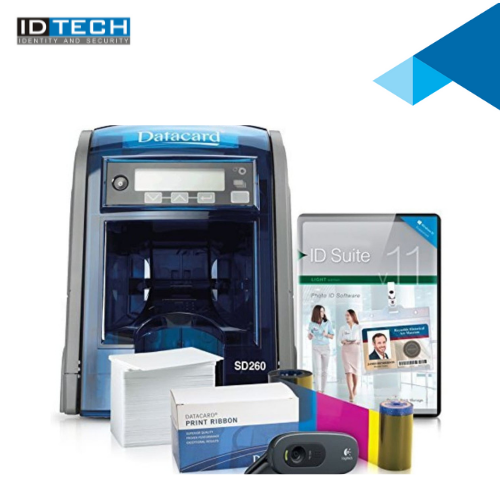
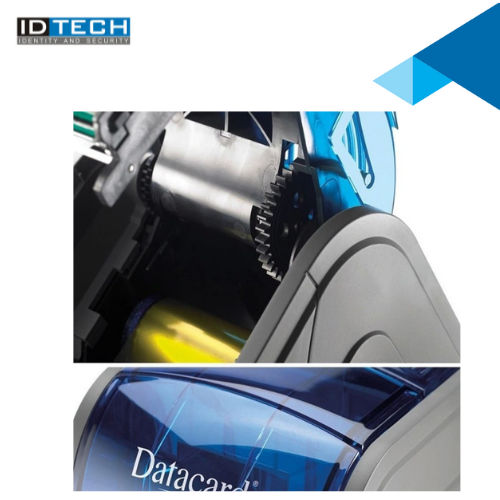
Datacard Printer SD260
55000 INR/Piece
Product Details:
- Weight 3.7 kg
- Capacity Input Hopper: 100 cards; Output Hopper: 25 cards
- Features LCD display, enhanced printing speed, energy saver mode
- Processor Type ARM Cortex-M3
- Humidity % 20% - 80% (non-condensing)
- Cabinet Material ABS Plastic
- Working Temperature 15C - 35C
- Click to View more
X
Datacard Printer SD260 Price And Quantity
- 55000 INR/Piece
- 1 Number
- 0.76 mm (standard), 0.511.02 mm range
- Kensington lock support
- Windows 7, 8, 10
- YMCKT, monochrome
- PVC, PET, Polycarbonate
- LCD graphical display
Datacard Printer SD260 Product Specifications
- Direct-to-Card Dye Sublimation
- Up to 200 full-color cards per hour
- 200 cards/hour (YMCKT one-sided)
- USB 2.0, Ethernet
- New
- 72 MHz
- 60 W
- CR-80
- 157 x 343 x 175 mm
- Automatic
- External AC Adapter
- Employee Cards, Student ID Cards, Membership Cards
- 15C - 35C
- <65 dB
- Plastic
- Input Hopper: 100 cards; Output Hopper: 25 cards
- LCD display, enhanced printing speed, energy saver mode
- ARM Cortex-M3
- 3.7 kg
- 100-240V AC, 50/60 Hz
- ABS Plastic
- 300 dpi
- ID Card Printing
- 20% - 80% (non-condensing)
- 830 cards/hour (monochrome one-sided)
- 0.76 mm (standard), 0.511.02 mm range
- Kensington lock support
- Windows 7, 8, 10
- YMCKT, monochrome
- PVC, PET, Polycarbonate
- LCD graphical display
Datacard Printer SD260 Trade Information
- Cheque
- 2 Week
- Australia, North America, South America, Eastern Europe, Western Europe, Middle East, Africa, Central America, Asia
- All India
Product Description
For Superb full-color, over-the-edge print capabilities, Datacard SR200 & SR300 retransfer card printers are a gateway to greater cardholder satisfaction and ultimate card program flexibility. These printers empower government agencies, corporations, universities, and other organizations to reliably issue highly secure, personalized, durable and vibrant cards. Offering superb full-color, over-the-edge, single- or dual-sided printing on a variety of blank or preprinted card surfaces, they also encode various card types including contact/contactless smart cards and magnetic stripe cards.Enhanced Printing Speed and Quality
The Datacard SD260 boasts impressive printing speeds with up to 200 color cards and 830 monochrome cards per hour. Equipped with a 300 dpi resolution, it produces sharp, vivid cards using direct-to-card dye sublimation technology. Whether for employee badges or student IDs, the printer ensures professional results with every print.
User-Friendly Features
With an intuitive LCD graphical display, the SD260 simplifies operation and status monitoring. Automatic grade functions enhance workflow efficiency, while the input hopper holds up to 100 cards for uninterrupted printing. The external AC adapter and energy saver mode add convenience and cost-effectiveness to daily use.
Flexible Application and Secure Operation
Supporting card thickness between 0.51 mm and 1.02 mm and materials like PVC, PET, and Polycarbonate, the SD260 meets diverse identification needs. Compatibility with Kensington locks provides physical security, and robust ABS plastic construction offers durability suitable for busy workplaces or educational institutions.
FAQ's of Datacard Printer SD260:
Q: How do I set up the Datacard SD260 printer for the first time?
A: Begin by connecting the printer to power via its external AC adapter and attach it to your PC using USB 2.0 or Ethernet. Install drivers compatible with Windows 7, 8, or 10, and follow the on-screen instructions on the LCD display for initial setup and calibration.Q: What card types and thicknesses can the SD260 print on?
A: The SD260 supports PVC, PET, and Polycarbonate cards. It accommodates card thickness ranging from 0.51 mm to 1.02 mm, with 0.76 mm being the standard size, ensuring you can print on most commonly used ID card stocks.Q: When should I use energy saver mode on the printer?
A: Activate energy saver mode during periods of inactivity to minimize power consumption. This feature is particularly useful in offices and institutions aiming to reduce operational expenses and environmental impact.Q: Where can I use the SD260 printer for card issuance?
A: The SD260 is ideal for employee ID card printing in offices, student IDs in educational institutions, and membership cards for clubs or societies. Its reliable performance and capacity make it suitable for diverse application areas across India.Q: What is the process for replacing the ribbon in the SD260 printer?
A: To replace the ribbon, open the printer cabinet made from durable ABS plastic, remove the used ribbon cartridge, and insert a new YMCKT or monochrome ribbon. Follow the LCD display prompts to ensure proper loading and alignment.Q: How does the SD260 benefit card printing operations?
A: Offering fast print speeds, automatic card handling, and vivid print quality, the SD260 streamlines card issuance while maintaining high security with Kensington lock compatibility. Its energy-efficient design supports cost savings and productivity.Tell us about your requirement

Price:
Quantity
Select Unit
- 50
- 100
- 200
- 250
- 500
- 1000+
Additional detail
Mobile number
Email

Other Products in 'Card Printers' category


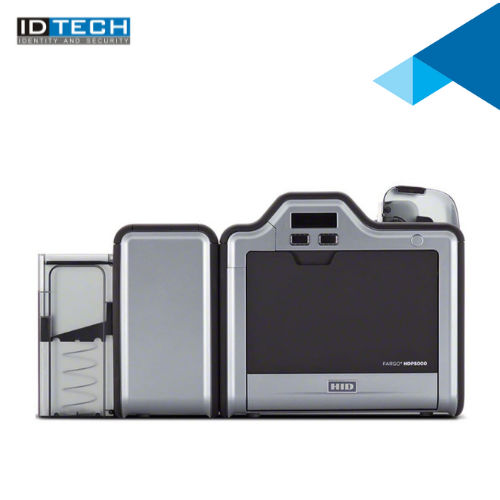
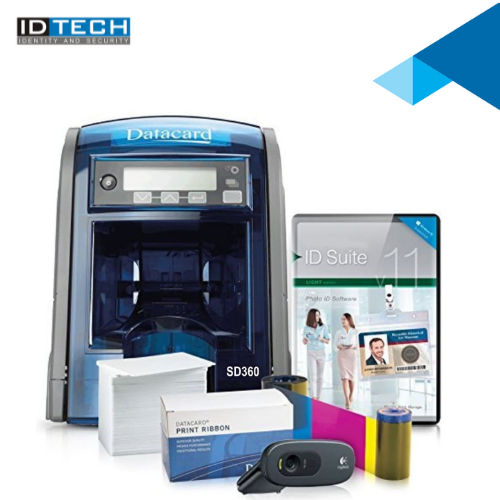

"We are accepting bulk order quantity only."
 Send Inquiry
 Send SMS
 Call Me Free
ID TECH SOLUTIONS PVT LTD
GST : 06AACCI5313D1Z4
GST : 06AACCI5313D1Z4

- Plot No. 610, Udyog Vihar, Phase V, Gurugram - 122016, Haryana, India
- Phone : 08045813073

- Mr Saurav Khemani (Managing Director)
- Mobile : 08045813073
- info@idsolutionsindia.com

|


ID TECH SOLUTIONS PVT. LTD.
All Rights Reserved.(Terms of Use)
Developed and Managed by Infocom Network Private Limited.
Developed and Managed by Infocom Network Private Limited.

