

 Send Inquiry




Buy Id Card Printer
55000 INR/Piece
Product Details:
- Cabinet Material Durable Polycarbonate
- Features Direct-to-card printing, Compact design, LED Indicators, Edge-to-edge Print
- Print Technology Thermal Transfer
- Processor Speed 600 MHz
- Usage & Applications Office, Educational Institutes, Corporate, Events
- Power Supply AC Adapter 100-240V, 50/60Hz
- Working Temperature 15C to 30C
- Click to View more
X
Buy Id Card Printer Price And Quantity
- 1 Number
- 55000 INR/Piece
- USB & Ethernet
- PVC, PET, ABS, PC Cards
- Multi-language Printing Capability
- Windows 7, 8, 10, 11
- YMCKO, Black Mono, Half Panel
- ID Card Design Software
- 0.25 mm to 1 mm
- Single Side
- LED Panel for Status Indication
Buy Id Card Printer Product Specifications
- Up to 150 cards/hour (YMCKO), Up to 200 cards/hour (Monochrome)
- 5.5 kg
- 300 dpi
- Single Side Printing
- 70 W
- 20% - 80% RH (non-condensing)
- 220 V AC
- New
- AC Adapter 100-240V, 50/60Hz
- 15C to 30C
- < 60 dB
- USB 2.0, Ethernet
- ARM Cortex Embedded
- Input Hopper: 100 cards, Output Hopper: 25 cards
- Automatic
- 200 cards/hour
- Durable Polycarbonate
- Direct-to-card printing, Compact design, LED Indicators, Edge-to-edge Print
- 270 mm x 170 mm x 220 mm
- Office, Educational Institutes, Corporate, Events
- ABS Plastic
- 150 cards/hour
- CR80 (86mm x 54mm)
- Thermal Transfer
- 600 MHz
- ID Card Printing
- USB & Ethernet
- PVC, PET, ABS, PC Cards
- Multi-language Printing Capability
- Windows 7, 8, 10, 11
- YMCKO, Black Mono, Half Panel
- ID Card Design Software
- 0.25 mm to 1 mm
- Single Side
- LED Panel for Status Indication
Buy Id Card Printer Trade Information
- Cheque
- 2 Week
- Australia, South America, Western Europe, Middle East, Central America, Asia, Eastern Europe, North America, Africa
- All India
Product Description
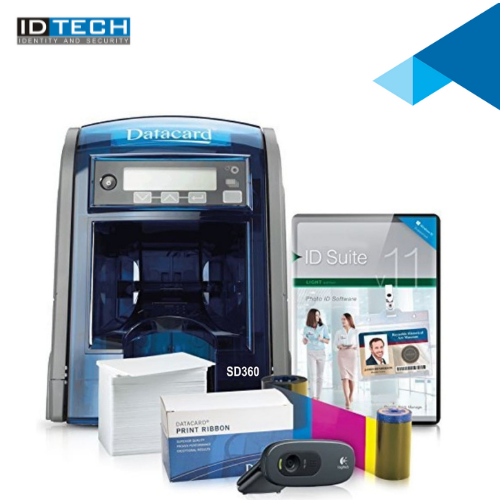
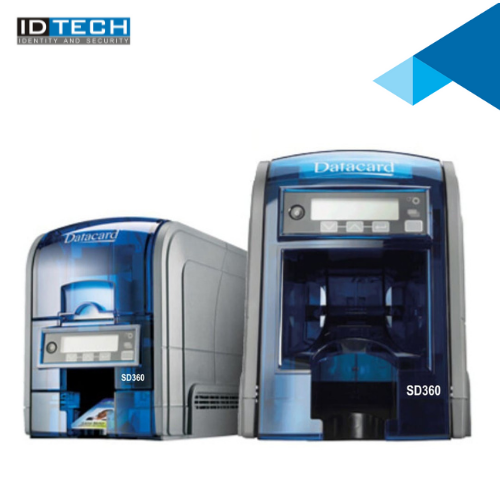
The best card issuance value on anyoneas desktop. The Datacard SD360 two-sided card printer is packed with industry-leading innovations that make desktop ID card printing simple and economical. As part of the SD Series card printer family, the SD360 printer is ideal for businesses, schools, hospitals, fitness clubs and anyone who batch-issues ID cards as part of their busy workday. With competitive features and price, SD Series printers are a great value.Fast, Professional Printing Performance
Experience swift, edge-to-edge ID card printing at up to 150 cards per hour (color) or 200 cards per hour (mono), thanks to advanced thermal transfer technology and ARM Cortex embedded processing. The generous 100-card input hopper streamlines high-volume operations, ensuring your workflow remains uninterrupted in office, corporate, or event environments.
Comprehensive Compatibility and Connectivity
This printer is compatible with PVC, PET, ABS, and PC cards of various thicknesses, and adapts seamlessly via USB 2.0 or Ethernet connections. Multi-language printing and Windows 7-11 support make integration effortless, while included ID card design software offers design flexibility from the first day.
Simple Operation and Intuitive Indicators
Monitor status easily via the LED panel, and utilize straightforward automatic functionality for stress-free, one-sided ID card printing. The compact design (270 x 170 x 220 mm) with direct-to-card printing suits crowded office spaces, while noise stays below 60 dB for a comfortable working environment.
FAQ's of Buy Id Card Printer:
Q: How do I set up the ID card printer for the first time?
A: Setting up the ID card printer is straightforward. Simply connect it to power using the AC adapter, attach it to your computer via USB or Ethernet, and install the included ID card design software on a Windows 7, 8, 10, or 11 system. You can load the input hopper with up to 100 compatible cards and start designing your templates using the software provided.Q: What types of cards and ribbons can the printer use?
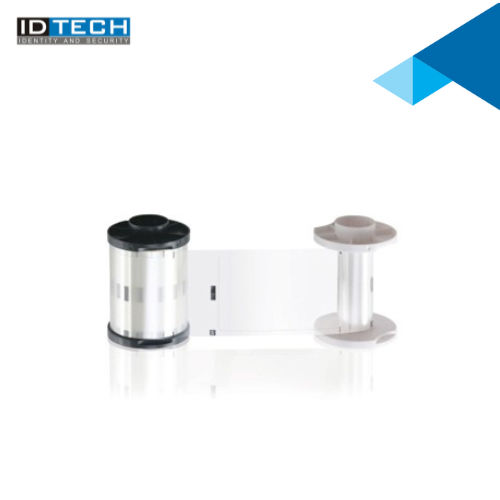
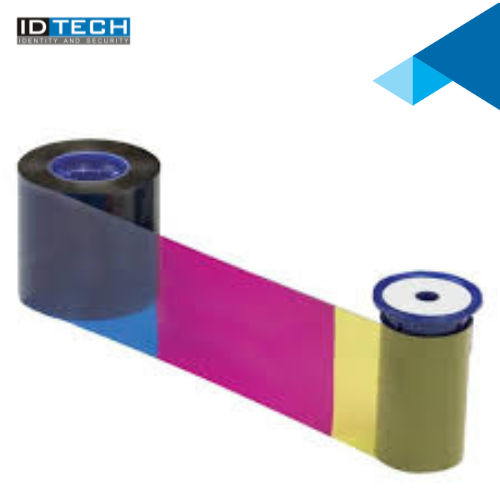
A: This printer supports a range of card materials, including PVC, PET, ABS, and PC cards with thicknesses from 0.25 mm to 1 mm. It is compatible with YMCKO color ribbons, black mono ribbons, and half-panel ribbons, allowing you to choose the best option for your printing requirements.Q: When should I opt for single-side printing, and what are its advantages?
A: Single-side printing is ideal for scenarios where information or branding is required only on one side of the card, such as basic access IDs, membership cards, or event passes. This method speeds up the process, reduces ribbon usage, and minimizes costs, making it efficient for organizations with high card turnover.Q: Where can this ID card printer be used effectively?
A: The printer is suitable for use in offices, educational institutes, corporate environments, and event settings. Its compact design and quiet operation make it practical for locations with limited space and the need for consistent, on-demand printing.Q: What is the typical process for printing ID cards with this device?
A: Begin by designing your card using the bundled software on a compatible Windows computer. Select your printing preferences-such as ribbon type and card thickness-load cards into the input hopper, and follow software prompts. The LED panel provides real-time status updates throughout the process, ensuring a smooth workflow.Q: What are the key benefits of this ID card printer for organizations?
A: Key benefits include fast edge-to-edge printing, robust compatibility with several card types and thicknesses, easy operation with LED status indicators, support for multiple languages, and durable build quality. These features make it an excellent choice for high-demand ID card production settings in India.Tell us about your requirement

Price:
Quantity
Select Unit
- 50
- 100
- 200
- 250
- 500
- 1000+
Additional detail
Mobile number
Email

Other Products in 'Card Printers' category



"We are accepting bulk order quantity only."
 Send Inquiry
 Send SMS
 Call Me Free
ID TECH SOLUTIONS PVT LTD
GST : 06AACCI5313D1Z4
GST : 06AACCI5313D1Z4

- Plot No. 610, Udyog Vihar, Phase V, Gurugram - 122016, Haryana, India
- Phone : 08045813073

- Mr Saurav Khemani (Managing Director)
- Mobile : 08045813073
- info@idsolutionsindia.com

|


ID TECH SOLUTIONS PVT. LTD.
All Rights Reserved.(Terms of Use)
Developed and Managed by Infocom Network Private Limited.
Developed and Managed by Infocom Network Private Limited.

