

 Send Inquiry



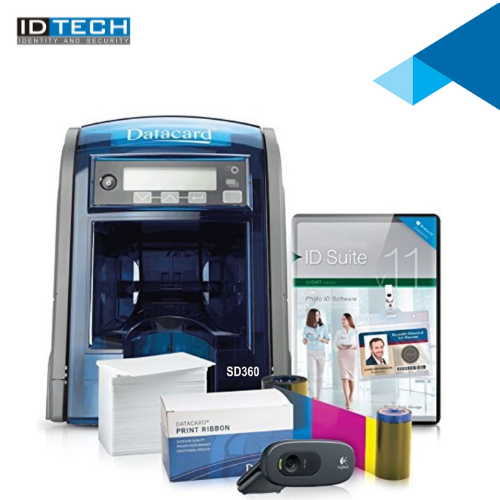
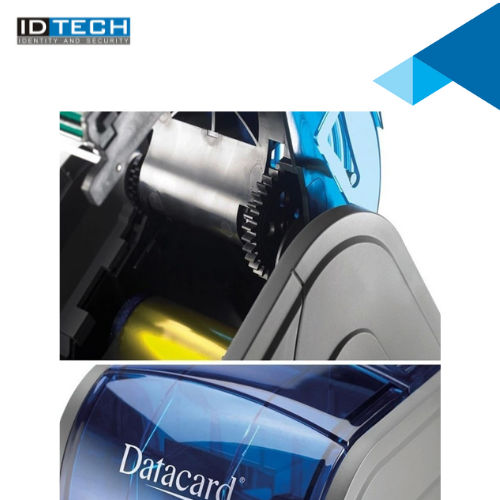

SD360 Datacard Printers
Product Details:
- Humidity % 20% to 80% (non-condensing)
- Print Technology Direct-to-card dye-sublimation/resin thermal transfer
- Print Speed Up to 200 cards/hour (single-sided, color), Up to 850 cards/hour (single-sided, mono)
- Interface USB 2.0, Ethernet
- Power Supply External power supply, 24V DC
- Cabinet Material Plastic
- Noise Level Less than 65 dB
- Click to View more
X
SD360 Datacard Printers Price And Quantity
SD360 Datacard Printers Product Specifications
- Plastic, Metal
- 20% to 80% (non-condensing)
- CR80 Card (85.6 mm x 53.98 mm)
- Direct-to-card dye-sublimation/resin thermal transfer
- Up to 200 cards/hour (YMCKT single-sided)
- Up to 850 cards/hour (mono single-sided)
- Up to 200 cards/hour (single-sided, color), Up to 850 cards/hour (single-sided, mono)
- USB 2.0, Ethernet
- External power supply, 24V DC
- Plastic
- Automatic
- PVC Card Printing
- Less than 65 dB
- 300 dpi
- 60F to 95F (15C to 35C)
- New
- 391 mm x 175 mm x 224 mm
- 4.08 kg
- Dual-sided printing, USB/Ethernet connectivity, Easy operation, Edge-to-edge printing
- 100-240V AC, 50/60 Hz
- Embedded Processor
- ID Cards, Access Control, Membership, Loyalty Programs
- Input hopper: 100 cards; Output hopper: 25 cards
- Printing
- 58 Watts(max)
SD360 Datacard Printers Trade Information
- Cheque
- Week
- Australia, South America, Western Europe, Middle East, Africa, Central America, Asia, Eastern Europe, North America
- All India
Product Description
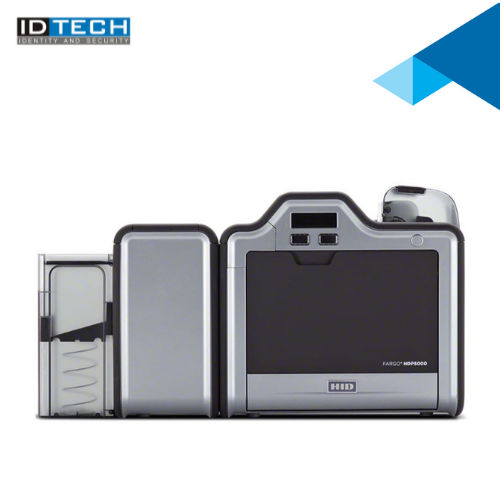
Out of the wide range of card printers provided by ID Tech solutions, the Datacard Printer SD360 Printer is one of its type that offers an economical printing solution along with its compact design, fast, easy to install and to start operations.Superior Print Speed and Quality
SD360 Datacard Printers deliver crisp edge-to-edge printing with a maximum resolution of 300 dpi, enabling vibrant photo IDs and sharp text on standard CR80 cards. The advanced dye-sublimation and resin thermal transfer technology ensures every card is printed with consistent colors and durability suitable for professional purposes.
Flexible Connectivity and Compatibility
This printer is equipped with both USB 2.0 and Ethernet ports, allowing seamless integration into diverse office environments and networks. Compatible with various Windows OS versions and Datacard TruCredentialTM Suite software, it ensures smooth operations for small to large-scale card issuance.
Enhanced Security and User-Friendly Design
Fitted with a secure cover lock and Kensington security slot, the SD360 prioritizes protection against unauthorized access. The intuitive LED status panel and automatic dual-sided printing make daily operation efficient and hassle-free, supported by a manageable card capacity and low noise levels.
FAQ's of SD360 Datacard Printers:
Q: How do I install the SD360 Datacard Printer on my computer?
A: You can install the SD360 printer by connecting it via USB 2.0 or Ethernet to a Windows-based PC (Windows 7, 8, 10, or Server 2008/2012). The multilingual driver and included Datacard TruCredentialTM Suite standard software guide you through a straightforward installation and setup process.Q: What types and thicknesses of cards can the SD360 Datacard Printer handle?
A: The SD360 prints on standard CR80 PVC cards with thicknesses ranging from 0.25 mm to 1.016 mm (10 mil to 40 mil). This flexibility makes it suitable for a wide array of card applications including identity badges, access control, and loyalty program cards.Q: When should I replace the ribbons in my SD360 Datacard Printer?
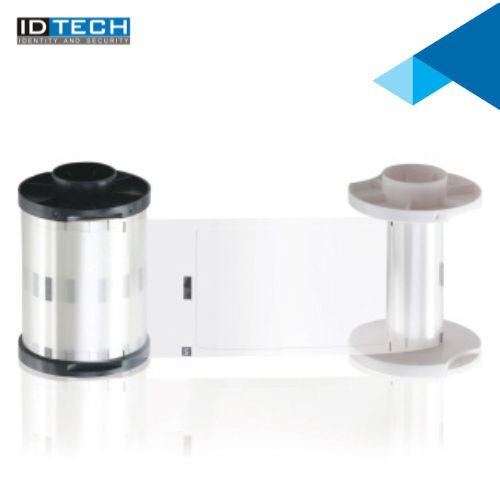
A: Ribbon replacement depends on your printing volume and ribbon type. When the printer's LED indicator signals low ribbon or the print quality starts to diminish, replace with compatible Datacard YMCKT, YMCKT-KT, KT, or monochrome ribbons to maintain optimal output quality.Q: Where can I use the SD360 Datacard Printer in India?
A: The SD360 is engineered for exporters, importers, manufacturers, suppliers, traders, and wholesalers. Its robust design and easy operation make it ideal for offices, security agencies, retail stores, and membership-based organizations across India.Q: What is the process for dual-sided card printing on the SD360?
A: To enable dual-sided printing, simply select the double-sided option within the Datacard TruCredentialTM software. The printer automatically flips and prints both sides of each card, streamlining your workflow for professional-quality badge or pass production.Q: How does the SD360 benefit ID card and membership programs?
A: By supporting up to 200 cards/hour in full color and 850 cards/hour in monochrome, edge-to-edge printing, and robust security features, the SD360 enables organizations to produce large quantities of secure, high-quality cards efficiently and reliably.Tell us about your requirement

Price:
Quantity
Select Unit
- 50
- 100
- 200
- 250
- 500
- 1000+
Additional detail
Mobile number
Email

Other Products in 'Card Printers' category



"We are accepting bulk order quantity only."
 Send Inquiry
 Send SMS
ID TECH SOLUTIONS PVT LTD
GST : 06AACCI5313D1Z4
GST : 06AACCI5313D1Z4

- Plot No. 610, Udyog Vihar, Phase V, Gurugram - 122016, Haryana, India
- Phone : 08045813073

- Mr Saurav Khemani (Managing Director)
- Mobile : 08045813073
- info@idsolutionsindia.com

|


ID TECH SOLUTIONS PVT. LTD.
All Rights Reserved.(Terms of Use)
Developed and Managed by Infocom Network Private Limited.
Developed and Managed by Infocom Network Private Limited.

